
Lazy Jump
SayGames LtdArcade
4.51.48K Reviews
- Version
- 1.10.10
- Installs
- 10.00M
- Age Rating
- Everyone 10+
Screenshots
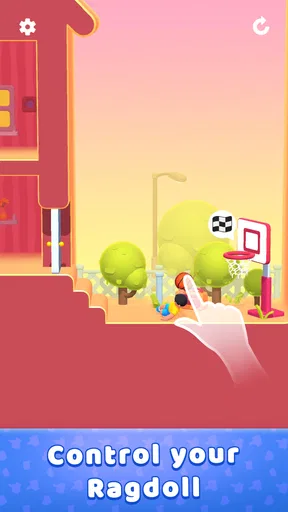
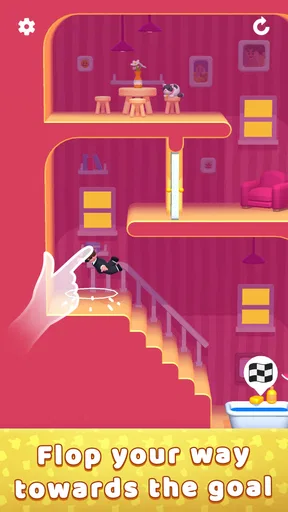

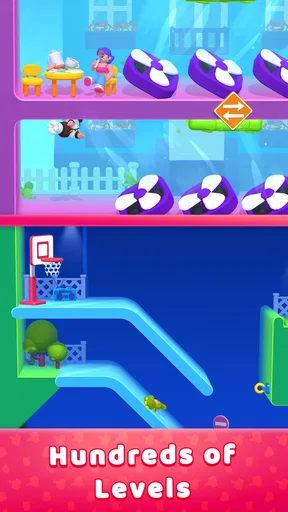
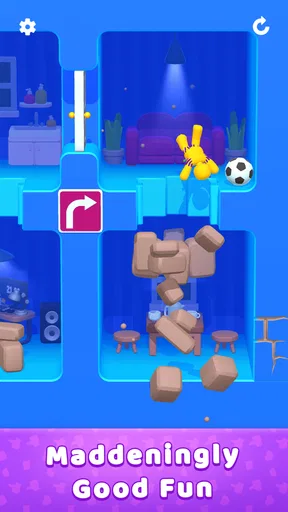

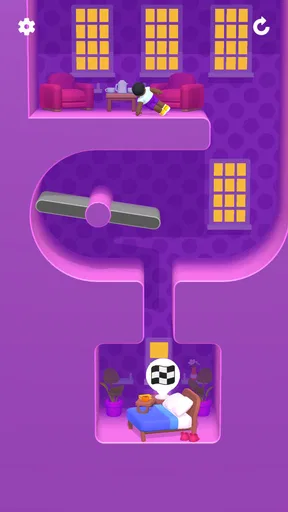
Our Review of Lazy Jump
 Analysis by Appyee
I spent time with Lazy Jump, an arcade game from SayGames Ltd that turns a very simple idea into a surprisingly expressive challenge: you guide a floppy rag doll through obstacle-filled levels by controlling momentum rather than relying on precise, traditional platform-game movement. The result is less about heroic reflexes and more about learning how a body with almost no discipline reacts when you ask it to move.
That distinction matters. This is not a conventional jumping game where the character responds cleanly to every tap. The appeal comes from watching a loose, awkward figure flip, fall, and occasionally land in ways that feel almost accidental. When a run works, I get the satisfaction of having understood the timing. When it fails, the failure is often funny enough to make another attempt feel worthwhile.
The game is free to play and sits firmly in the casual arcade space. Its age guidance is Everyone 10+, and it has attracted a large audience, with over 10 million installs and an average score of 4.5 from around 40 thousand ratings. Those figures fit my impression: this is an easy game to pick up for a short break, but its physics-based movement gives it more personality than a disposable tap-to-win title.
Why the rag-doll movement is the whole experience
The central capability is the way you influence a character that does not move like a normal game avatar. Instead of feeling perfectly planted, the figure behaves like a loose object being thrown through a sequence of situations. A small input can set up a larger movement, and the final result depends on timing, angle, and what the body hits along the way.
I found that the first few attempts are mainly about accepting the lack of control. My instinct was to correct every awkward movement immediately, but that usually made the character tumble in an even less useful direction. The better approach is to think one action ahead. I began asking where the body needed to be at the end of a bounce rather than reacting only to its current position.
The important skill is not speed; it is reading momentum. That makes the game feel different from a standard endless runner or a conventional platformer. In those games, a missed jump normally tells me that I pressed too early or too late. Here, a miss can come from a poor angle, a bad landing, or a correction that looked sensible but changed the entire shape of the next movement.
This also gives the game its strongest source of humor. A successful attempt can look graceful for a moment, followed by a ridiculous collapse. I never felt that every failure was purely frustrating because the rag-doll animation turns mistakes into part of the entertainment. That balance is important for a game built around repetition.
Learning the controls without expecting precision
The control scheme is approachable, but approachable does not mean instantly predictable. I could start playing without a tutorial-heavy introduction, yet I still needed several attempts to understand how much influence I really had over the character. The game rewards patience with its movement model rather than demanding complicated button combinations.
My practical advice is to avoid making a correction just because the character looks unstable. Sometimes an apparently bad position becomes useful after the next bounce. I had better results when I watched the direction of travel and waited for a clear opportunity to shape the next movement. That is a small but meaningful change in mindset, especially for people used to games where every tap should produce an immediate, obvious response.
Another useful habit is to treat early attempts as reconnaissance. Instead of trying to complete a section immediately, I watched where the character tended to lose balance and which approach created a more manageable landing. This made later runs feel less random. The game does not become completely predictable, but I gradually replaced panic with a rough sense of timing.
That learning curve is also the reason I would not recommend it to someone looking for a perfectly controlled arcade experience. If you want a character to stop exactly where you expect, the loose physics may feel irritating rather than entertaining. The appeal depends on enjoying a little uncertainty and being willing to repeat a movement until it feels natural.
What a normal play session feels like
In everyday use, I see this as a short-session game. It works well when I have a few minutes and want something interactive without committing to a long story, complex upgrade system, or competitive match. I can make an attempt, laugh at an awkward landing, try again, and put it down without losing the thread of a larger campaign.
A realistic scenario would be waiting for a bus or taking a short break between tasks. I would open it expecting one quick run, then spend a little longer trying to improve a section that had just gone wrong. The game creates that “one more attempt” feeling naturally, not because I need to manage a large collection of resources, but because the distance between failure and success often feels close.
The same design can become less comfortable during a long session. Repeating similar attempts while dealing with unpredictable movement can wear down my patience. I recommend playing in small bursts, particularly when a difficult sequence starts making you tap impulsively. A short pause often helps more than forcing another frustrated attempt.
It is also worth remembering that this is an arcade game rather than a deep simulation. The physics are there to create challenge and comedy, not to model real movement accurately. I enjoyed the exaggerated behavior because it makes the game readable as playful nonsense. Someone seeking realistic rag-doll interaction or a detailed physics sandbox should look elsewhere.
Where the design works best
The strongest scenario is casual solo play for people who enjoy failure with a sense of character. The game is particularly suitable for players who like watching a plan go wrong and then adjusting it. It gives me a reason to retry without making every mistake feel like a serious loss.
I also think it suits players who normally find traditional arcade games too rigid. The loose movement creates a softer kind of challenge. I am still trying to reach the next safe position, but the route is not always a clean line of perfect inputs. Sometimes I succeed by setting up a favorable bounce and allowing the body to carry itself through the rest.
For younger players within the stated age guidance, the cartoon-like rag-doll presentation makes the failures feel silly rather than harsh. Adults can enjoy the same quality for a different reason: the game is a compact way to reset attention after a dull task. It does not require a large mental investment before becoming enjoyable.
However, the best scenario is not “anyone who likes mobile games.” Players who prefer achievement systems, long-term character development, narrative progression, or carefully balanced competitive play may find the experience thin. The core pleasure is concentrated in movement and repetition. If that capability does not appeal to you, there is not much else here that will compensate.
How it compares with familiar arcade alternatives
Compared with an endless runner, this game gives me less of the clean forward rhythm that makes runners relaxing. I cannot simply focus on a predictable sequence of lanes and obstacles. The rag doll introduces a more physical problem: I am managing a body that can arrive at a surface in an inconvenient position.
Compared with a standard platformer, it is less about exact jumps and more about setting up motion. Traditional platform games usually make a successful jump feel like a direct result of a button press. Here, the same input can have a different practical outcome depending on the character’s current orientation and momentum. That makes success more surprising, but it can also make failure feel less immediately explainable.
Compared with physics puzzle games, the emphasis is lighter and faster. I am not usually building elaborate solutions or studying a complex machine. The challenge is immediate: make the next movement work, understand why it failed, and try again. That makes this a better choice for quick entertainment than for players who want a slow, analytical puzzle experience.
This comparison helped me place the game correctly. It is not trying to replace a polished precision platformer or a content-heavy arcade collection. Its identity comes from turning awkward movement into the main event. The unusual control feel is both the reason to install it and the main reason some players will remove it.
The tradeoffs behind the free model
Because the game is free, it is easy to try without making a purchase first. That lowers the barrier for casual players, especially those who only want a few minutes of entertainment. The game also includes in-app purchases priced at $2.99 per item, so anyone who dislikes optional spending should keep that in mind before handing the phone to a child or playing without checking purchase settings.
I do not see the free entry point as a problem by itself. The more important question is whether the movement remains enjoyable after the novelty fades. For me, it does as long as I play in short sessions and treat each attempt as a small experiment. If I expect a deep progression system to keep me engaged indefinitely, the design is less convincing.
There is another tradeoff in the deliberately loose physics. The same unpredictability that makes a successful landing funny can make a failed run feel outside my control. I learned to separate “I made a bad decision” from “the body reacted in a way I did not expect.” That distinction kept the game entertaining, but players who need transparent cause and effect may find the experience inconsistent.
The current version is 1.10.8 and the game supports devices running Android 8.0 or later. In practical terms, that makes it accessible to many Android users, although compatibility still depends on the individual device and its software condition. I would check the store page on an older phone before assuming every handset will provide the same smooth experience.
Small techniques that improve the experience
My first concrete tip is to use the opening attempts to identify a landing posture, not just a landing location. Reaching the correct area is not enough if the rag doll arrives twisted in a way that sends the next movement off course. I started aiming for a position that left room for the following action rather than celebrating a barely successful landing.
Second, I found it useful to make fewer corrections during a fall. Rapid, nervous inputs often turned a recoverable situation into a full tumble. A calmer adjustment gave the existing momentum time to work. This is not a hidden shortcut or a guaranteed technique, but it changed how consistently I could approach difficult sections.
Third, I recommend stopping after a run that ends in repeated impulsive attempts. The game’s short-session structure works in its favor here. Returning later with a clearer sense of timing was more productive than continuing to tap while annoyed. That is a practical advantage over games that require a long uninterrupted session to make progress.
Finally, use the humor of the physics as feedback rather than treating every collapse as wasted time. If the character repeatedly folds in the same direction, that visual clue can reveal that the approach is wrong. The animation is not only decoration; it helps me see how the body is carrying momentum into the next mistake.
Who should install it
Lazy Jump is a good fit for anyone who wants an arcade game built around playful movement, quick retries, and funny failures. I would especially recommend it to friends who enjoy experimenting with controls instead of demanding perfect responsiveness from the first second. Its simple premise makes it easy to start, while the rag-doll behavior gives it enough friction to encourage repeated attempts.
I would skip it if your priority is precision, story, multiplayer competition, or a substantial progression system. It is also not my first choice for a long commute when I want a game with many different activities. The experience is focused, and that focus can feel either refreshingly clear or limited depending on what you expect from a mobile arcade title.
SayGames Ltd has built the game around a capability that is easy to describe but more interesting to use: controlling a character whose body never feels completely obedient. After playing it, my recommendation is straightforward. Try it free, give the movement several honest attempts, and judge whether the uncertainty makes you laugh or makes you impatient. If you enjoy the former, this is a charming little time-filler with a distinct personality. If you want every jump to obey a precise command, another arcade game will serve you better.
For me, the lasting appeal is not simply reaching the end of a level. It is the moment when an awkward sequence suddenly makes sense, the body catches a useful angle, and a movement that looked doomed turns into progress. That small surprise is what gives the game its value beyond its brief store summary, and it is the reason I would keep it installed for occasional breaks.
Privacy and Permissions
See what permissions an app requests and how it handles your data.
- Phone
- read phone status and identity
- Wi-Fi connection information
- view Wi-Fi connections
- Device ID & call information
- read phone status and identity
- Other
- view network connections, full network access, control vibration, prevent device from sleeping, Google Play license check
Verdict
Strengths of Lazy Jump
- Simple one-touch controls make it easy to start playing immediately.
- Short levels are well suited to quick gaming sessions.
- Lightweight gameplay runs smoothly on most modern devices.
- Timing-based jumps offer a satisfying challenge as skills improve.
- Minimal interface keeps the focus on the jumping action.
Limitations of Lazy Jump
- Gameplay may feel repetitive after extended play sessions.
- Difficulty can increase abruptly in later stages.
- Limited gameplay variety may reduce long-term appeal.
- Mistimed jumps can be frustrating, especially on smaller screens.
- Ads may interrupt the experience in the free version.
Other Releases by SayGames Ltd
View All
Turbo Stars - Rival Racing
Racing4.6

Johnny Trigger: Action Shooter
Action4.6

DOP 4: Draw One Part
Puzzle4.4

DOP: Draw One Part
Puzzle4.4
Similar Picks in This Category
View All
Subway Surfers
SYBO Games4.6

Stickman Party 234 MiniGames
PlayMax Game Studio4.6

Subway Princess Runner
Ivy4.4

Temple Run
Imangi Studios4.2

Zombie Tsunami
Mobigame SAS4.6

Stack Ball - Crash Platforms
CASUAL AZUR GAMES4.5
Frequently Asked Questions
What is Lazy Jump, and how does the game work?
Lazy Jump is a casual physics-based game centered on guiding a floppy character through obstacle-filled levels. Instead of relying on traditional running or jumping controls, you interact with the character and environment to create the right movement. The gameplay is intentionally simple and humorous, making it easy to start, although completing later stages can require patience, timing, and experimentation.
Is Lazy Jump free to download and play?
Lazy Jump can generally be downloaded and played without an upfront purchase, depending on the platform and region. However, the free version may include advertising or optional in-app purchases. These purchases can sometimes remove ads or provide additional conveniences, but they are not normally required to experience the main levels. Check the store listing for the current pricing and purchase details.
Does Lazy Jump require an internet connection?
The core gameplay in Lazy Jump is usually suitable for short offline sessions, which makes it convenient for travel or moments without reliable connectivity. Nevertheless, an internet connection may be needed for advertisements, analytics, updates, cloud-related features, or in-app purchases. Availability of offline play can vary after updates, so it is worth testing the game once before depending on it without mobile data.
Is Lazy Jump suitable for children?
Lazy Jump has simple controls, colorful presentation, and cartoon-style physics that can appeal to younger players. Even so, parents should review the age rating and store information before installation because advertising, optional purchases, or external links may be present. The game is generally easy to understand, but some levels can become frustrating when the character’s unpredictable movements require repeated attempts.
What devices are compatible with Lazy Jump, and does it take much storage?
Lazy Jump is designed for modern Android and iOS devices, but exact compatibility depends on the operating-system version and the developer’s current store requirements. The initial download is typically manageable for most phones, although updates and cached advertising data may increase storage use over time. For the smoothest experience, install the latest supported version and keep some free space available.
Play our best games!


